History of Python
-
Python is a high-level programming language created by Guido van Rossum and first released in 1991. It was designed with a focus on simplicity, readability, and developer productivity. Inspired by the ABC language, Python introduced clear syntax and powerful features that made it suitable for beginners as well as professionals.
History of Python
🧑💻 Who Created Python?
Python was created by Guido van Rossum, a Dutch programmer recognized for designing a language with clean, simple, and highly readable code.
📅 When Was Python Developed?
Development Started: 1989 (late 1980s)
First Official Release: 1991
Python was developed while Guido van Rossum was working at CWI (Centrum Wiskunde & Informatica) in the Netherlands.
💡 Why Was Python Created?
Guido van Rossum wanted a language that:
Was easy to learn and understand
Required fewer lines of code
Had clear and readable syntax
Could replace complex languages used at that time
Could improve productivity and development speed
📚 Python Timeline (Important Milestones)
🐍 1989 – Python Idea Started
Guido began working on the new language during Christmas holidays.
🐍 1991 – Python 0.9.0 Released
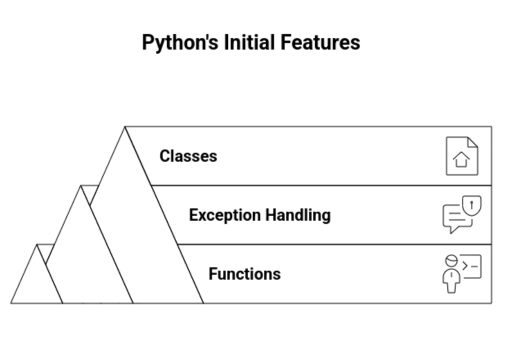
The first version included:
Functions
Exception handling
Classes
Note:
- Modules for better code organization
- Functional programming tools like map(), filter(), and reduce()
Note:
- Was easy to learn and understand
- Required fewer lines of code
- Had clear and readable syntax
- Could replace complex languages used at that time
- Could improve productivity and development speed
- a2
x = 5
print(x)
# or on one line:
x = 5; print(x)
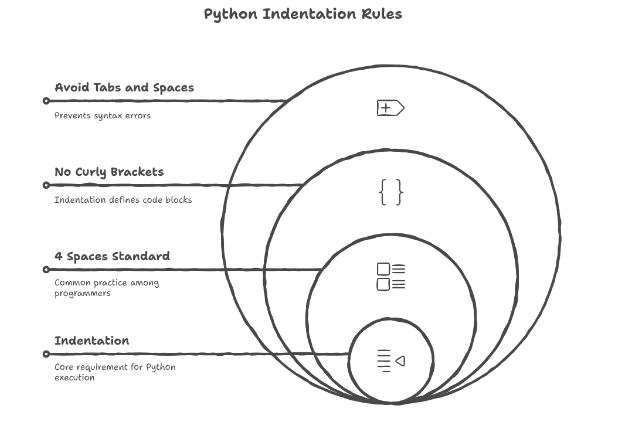
Was easy to learnand understandRequired fewer lines of code - Had clear and readable syntax
Could replace complex languages used at that time Could replace complex languages used at that time Could replace complex languages used at that time Had clear and readable syntax - Had clear and readable syntax
🐍 2008 – Python 3.0
Python 3.0 was a major, backward-incompatible overhaul of the language. It introduced significant improvements, including:
Cleaner and more consistent syntax
Full Unicode support by default
🐍 2020 – End of Python 2 Support
Python 2 officially reached end-of-life on January 1, 2020. Since then, the global developer community has fully transitioned to Python 3.x, which continues to receive active updates, improvements, and security fixes.
code
code description
 "publisher": {
    "@type": "Organization",
    "name": "SkillPTP",
    "logo": {
      "@type": "ImageObject",
      "url": "https://ebook.skillptp.com/assets/images/logo.png"
    }
Note:
- Was easy to learn and understand
- Required fewer lines of code
- Had clear and readable syntax
- Could replace complex languages used at that time
- Could improve productivity and development speed
🐍 2020 – End of Python 2 Support
- Python 2 officially reached end-of-life on January 1, 2020. Since then, the global developer community has fully transitioned to Python 3.x, which continues to receive active updates, improvements, and security fixes.
# Simple Student Score Checker (Beginner Program)

print("Welcome to the Student Score Checker")

# Take input from the user
name = input("Enter your name: ")
score = int(input("Enter your score (0-100): "))

# Store grade boundaries
grades = ["A", "B", "C", "D", "Fail"]

# Determine grade using conditions
if score >= 90:
    grade = grades[0]
elif score >= 75:
    grade = grades[1]
elif score >= 60:
    grade = grades[2]
elif score >= 40:
    grade = grades[3]
else:
    grade = grades[4]

# Print result
print("\n--- Result Summary ---")
print("Student Name:", name)
print("Score:", score)
print("Grade:", grade)
print("Thank you for using the program!")
Note: variable names function names class names